

The customer has been on hold for three minutes. When the agent finally picks up, the first thing they ask is: "Can I have your name and account number, please?"
The customer has called four times this month. Their name, their history, their open case – all of it is sitting in the CRM. The agent just can't see it.
This is not a staffing problem. It's not a training problem. It's a connectivity problem – and it's quietly costing contact centers more than most managers realize.
The agent who's working blind
Picture your support team at the start of every call. A customer connects. The phone rings. The agent picks up.
What do they know about that customer at that moment?
In a disconnected contact center – one where the phone system and the CRM don't talk to each other – the answer is nothing. The agent starts from zero. They ask for information the customer has already provided. They look up history manually, switching between tabs and systems while the customer waits. They piece together a picture of the relationship in real time, under pressure, on a live call.
It's an exhausting way to work. It's also an exhausting way to be a customer.
The irony is that the information exists. It's in the CRM – call history, purchase records, open tickets, previous complaints, account value, preferences. Everything an agent needs to deliver a genuinely helpful, personalized interaction is already there. It's just not connected to the moment it's needed most.
What a disconnected CRM is actually costing you
The cost of a disconnected CRM and contact center shows up in four places – and only one of them appears in the report your operations team reviews each week.
Longer handle times. When agents have to manually search for customer information during a call, average handle time increases. Industry benchmarks suggest that screen pop alone – automatically surfacing customer data when a call connects – reduces handle time by 15 to 20% in most deployments. Across thousands of calls a month, that adds up to significant recoverable capacity.
More repeat calls. A disconnected system means agents resolve calls without full context. They miss the open ticket from last week. They don't see the commitment made by the previous agent. They give an answer that contradicts what the customer was told before. The customer calls back. The cycle repeats. Repeat calls are one of the most expensive events in contact center operations – and a disconnected CRM is one of their most common causes.
Higher escalation rates. Customers who have to re-explain their situation – their history, their issue, their previous interactions – lose patience quickly. That frustration drives escalations. Escalations pull supervisors off the floor. They extend call duration, damage relationships, and increase churn risk. Most of this is preventable with a single change: giving agents the full picture before the call begins.
CRM data that degrades over time. When agents have to manually update the CRM after every call – switching to a separate system, typing notes, logging outcomes – data quality suffers. Busy agents abbreviate. Tired agents forget. Over time, the CRM becomes an incomplete record that no one fully trusts. The system exists, but the value doesn't.
The moment that reveals everything
There is one moment that exposes the cost of a disconnected contact center more clearly than any report.
A high-value customer calls. They've been with the company for six years. They've had three open tickets in the last month, all about the same issue. They escalated last week and were promised a resolution.
The agent who picks up has none of this information. They start the call as if it's the first one. They ask the customer to verify their details. They look up the account. The customer, who has already explained this issue three times, explains it again.
That customer is not going to stay.
Now consider the same call in a connected environment. The moment the call connects, the agent's screen shows the customer's name, their account history, the open tickets, the escalation, and the promised resolution. The agent opens with: "Hi, I can see you've been waiting on a resolution since last week – let me pull that up for you right now."
Same customer. Same issue. Completely different experience.
The difference isn't the agent. It's the connection between the phone system and the CRM.
Why the integration gap persists
If the solution is this clear, why do so many contact centers still operate with disconnected systems?
Three reasons come up consistently.
Legacy infrastructure. Many contact centers built their phone systems years before their CRM and have never fully bridged the gap. Integration was always on the roadmap, never at the top of it.
Perceived complexity. IT teams worry about integration projects – the timelines, the customization, the risk of disrupting live operations. In reality, modern cloud contact center platforms connect to major CRMs in days, not months, through pre-built integrations that require minimal technical configuration.
Underestimated cost. The cost of not integrating – in handle time, repeat calls, escalations, agent burnout, and churn – rarely appears in a single line of a budget. It's distributed across departments and absorbed as normal. The cost of integration, by contrast, is visible and immediate. That asymmetry keeps the status quo in place long after it should have changed.
What contact center automation and CRM integration actually looks like
A connected contact center platform doesn't replace your CRM. It activates it. And when contact center automation is layered on top, the impact compounds.
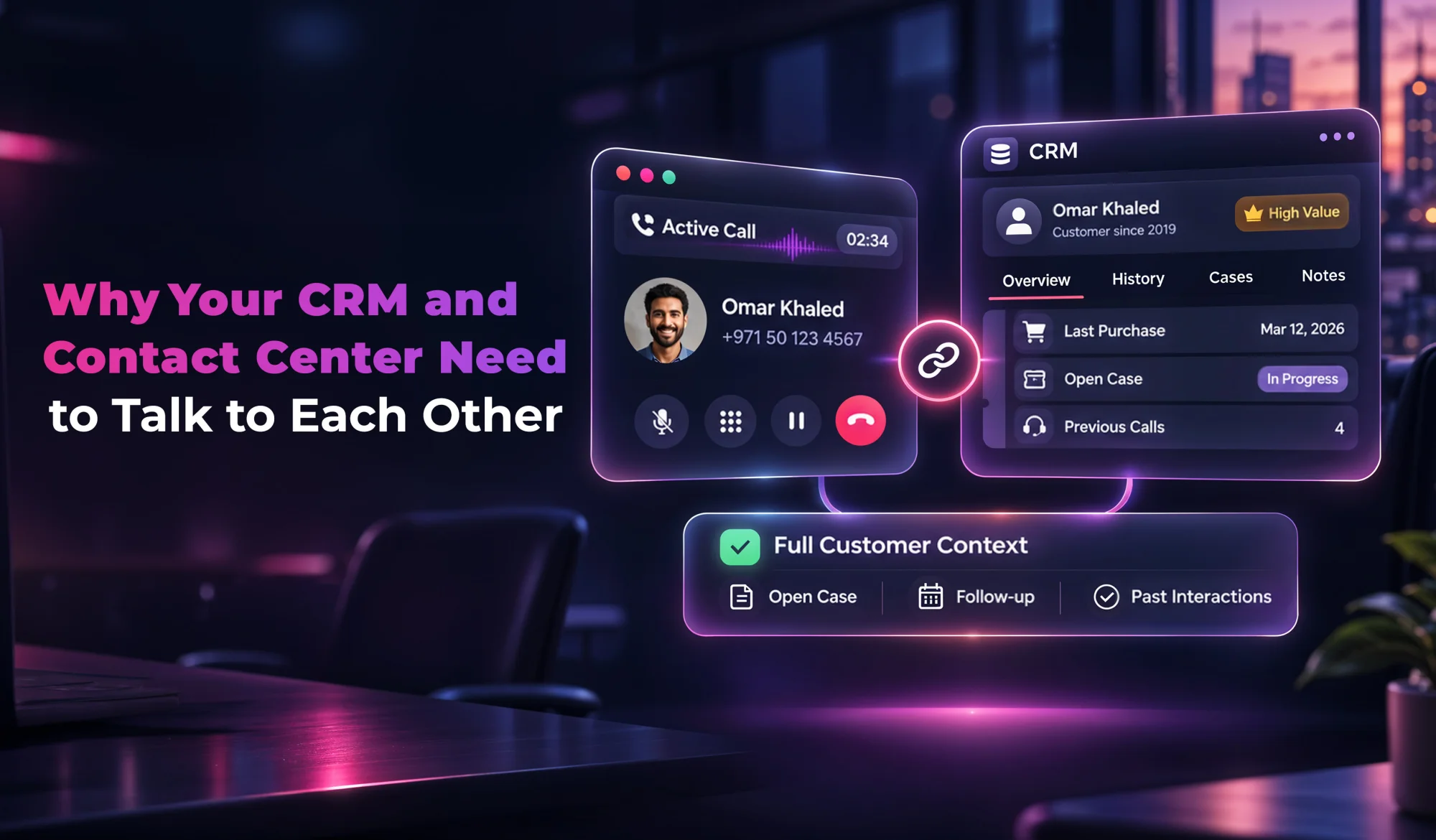
Screen pop. When a call connects, the agent sees the customer's full profile automatically – name, account details, interaction history, open cases, sentiment from previous calls. No searching, no switching tabs, no asking the customer to repeat themselves.
In-call CRM updates. As the conversation unfolds, the agent updates the CRM directly from within the contact center interface. Notes, case status, follow-up actions – all logged in real time, without leaving the call screen. Data quality improves because the friction of updating is removed.
Automatic post-call logging and post-call analytics. When the call ends, the platform logs the outcome automatically – duration, resolution status, sentiment, any commitments made. Post-call analytics surface patterns across the full call volume: which issue types generate the most repeat contacts, which agents have the highest resolution rates, where the customer journey breaks down. The agent moves to the next call. The CRM stays current. The operation gets smarter.
AI voice agent and virtual agent handling. For routine queries – account checks, status updates, appointment confirmations – an AI voice agent or virtual agent can handle the full interaction end-to-end, pulling live data directly from the CRM and knowledge bases without involving a human agent. When the query is resolved completely at the first touchpoint, the repeat call risk disappears.
NLP customer service and AI-powered context. The newest generation of AI customer service platforms goes further. NLP customer service capabilities read the interaction history and surface the most relevant context for each call – not just the raw data, but an intelligent summary of what the customer needs and what the agent should know. Natural language processing means agents arrive informed, not overwhelmed.
Omnichannel continuity. A customer who messaged on WhatsApp yesterday and calls today shouldn't have to start from scratch. A truly connected omnichannel AI platform carries context across every channel – voice, chat, email, WhatsApp – so the customer journey is continuous regardless of how or when they reach out.
The CRM integrations that matter most
Not all CRM integrations deliver the same value. The platforms that move the needle most in contact center operations are the ones your teams already use every day.
Salesforce. The world's most widely used CRM. A native Salesforce integration means every call is automatically logged against the right contact and opportunity, agents see the full sales and service history on screen pop, and managers get call data inside the same dashboards they use for everything else.
HubSpot. Widely used by sales-led organizations across MENA. A HubSpot integration connects inbound and outbound call activity directly to your deal pipeline – so every customer interaction is visible in the context of the commercial relationship.
Zoho CRM. Popular among SMEs in the region. A Zoho integration brings the same screen pop and automatic logging capabilities to teams that have built their operations around Zoho's ecosystem.
Microsoft Dynamics. The enterprise choice for organizations running on Microsoft infrastructure. A Dynamics integration ensures that contact center data flows directly into the broader business intelligence picture without additional data exports or manual reconciliation.
The right integration isn't just about technical connectivity. It's about making sure that the work your agents do on every call contributes to a shared, accurate, continuously improving picture of every customer relationship.
Your AI customer service buyer's guide: what to look for in a CRM integration
Not every AI customer service platform integrates with your CRM equally well. If you're evaluating options, this short AI customer service buyer's guide covers the key features that matter for CRM connectivity specifically.
Native integrations, not just API access. The best AI customer service software offers pre-built, maintained integrations with major CRMs – not just a generic API that requires custom development. Native integrations deploy faster, break less, and require less ongoing maintenance from your IT team.
Bidirectional data flow. The integration should push data to your CRM and pull from it. Screen pop requires pulling. Automatic call logging requires pushing. A one-directional integration delivers half the value.
Conversational AI platform with CRM context. Look for a conversational AI platform where the AI voice agent can access CRM data in real time during a call – not just after it. When a virtual agent can pull the customer's account status, order history, or open tickets live, it resolves queries completely without a human handoff.
Automated quality assurance contact center tools. An automated quality assurance contact center tool that reviews 100% of calls and logs findings directly into your CRM creates a continuous feedback loop – one where every interaction improves the next. Manual QA reviews a fraction of calls and rarely integrates with CRM records.
Post-call analytics linked to CRM records. Post-call analytics that sit in a separate dashboard are useful. Post-call analytics that attach directly to the CRM contact record are transformational – every manager, agent, and sales rep sees the full picture in the tool they already use.
Knowledge bases integration. Your AI customer service platform should connect to your existing knowledge bases so that AI voice agents and human agents give customers the same accurate answers every time – pulling from a single source of truth rather than relying on memory or outdated scripts.
What good looks like
Contact centers that have closed the CRM gap share a few consistent characteristics.
Their agents spend less time searching and more time resolving. Handle times are shorter. First call resolution rates are higher. Escalation rates are lower. Agent satisfaction improves – because working with full context is less stressful and more effective than working blind.
Their CRM data is trustworthy. Because logging is automatic and integrated, the records are complete. Managers can run reports that reflect what actually happened. Sales teams work from accurate contact histories. The CRM delivers its full value instead of sitting half-populated in the background.
And their customer experience is consistent. Every agent, on every call, across every shift, has the same picture of the customer. The experience doesn't depend on which agent picks up or how good their notes were last time. It's built into the system.
Frequently asked questions
How long does a CRM integration take to deploy? With a modern AI customer service platform, most major CRM integrations – Salesforce, HubSpot, Zoho, Microsoft Dynamics – can be live within days using pre-built connectors. Custom workflows and field mapping typically add a week or two.
Does CRM integration work with an AI voice agent? Yes – and this is where the value compounds. An AI voice agent connected to your CRM can access live customer data, resolve queries end-to-end, and log the interaction automatically. No human handoff required for routine queries.
What if our CRM data is already incomplete? Integration doesn't fix historical data gaps, but it stops new ones from forming immediately. Automatic post-call logging ensures every future interaction is captured accurately. Over time, the record improves.
Is CRM integration secure? A properly configured integration uses OAuth and role-based access controls to ensure that only authorized data is shared between systems. Look for an AI customer service platform that is ISO 27001 certified and compliant with regional data regulations.
The question worth asking
Open your CRM and pick a customer at random. Now look at their contact center interaction history. Is it complete? Is it accurate? Does it reflect every call, every commitment, every resolution – or just the ones agents had time to log manually?
The gap between what's in your CRM and what actually happened in your contact center is the gap between the customer experience you think you're delivering and the one your customers are actually receiving.
Closing that gap doesn't require replacing your CRM or rebuilding your contact center. It requires connecting them.
ZIWO's cloud contact center platform integrates natively with Salesforce, HubSpot, Zoho, Microsoft Dynamics, and more – bringing screen pop, automatic call logging, real-time CRM updates, post-call analytics, and AI-powered customer context to every agent, on every call.
Book a demo and see what your contact center looks like when your CRM is finally part of the conversation.


