

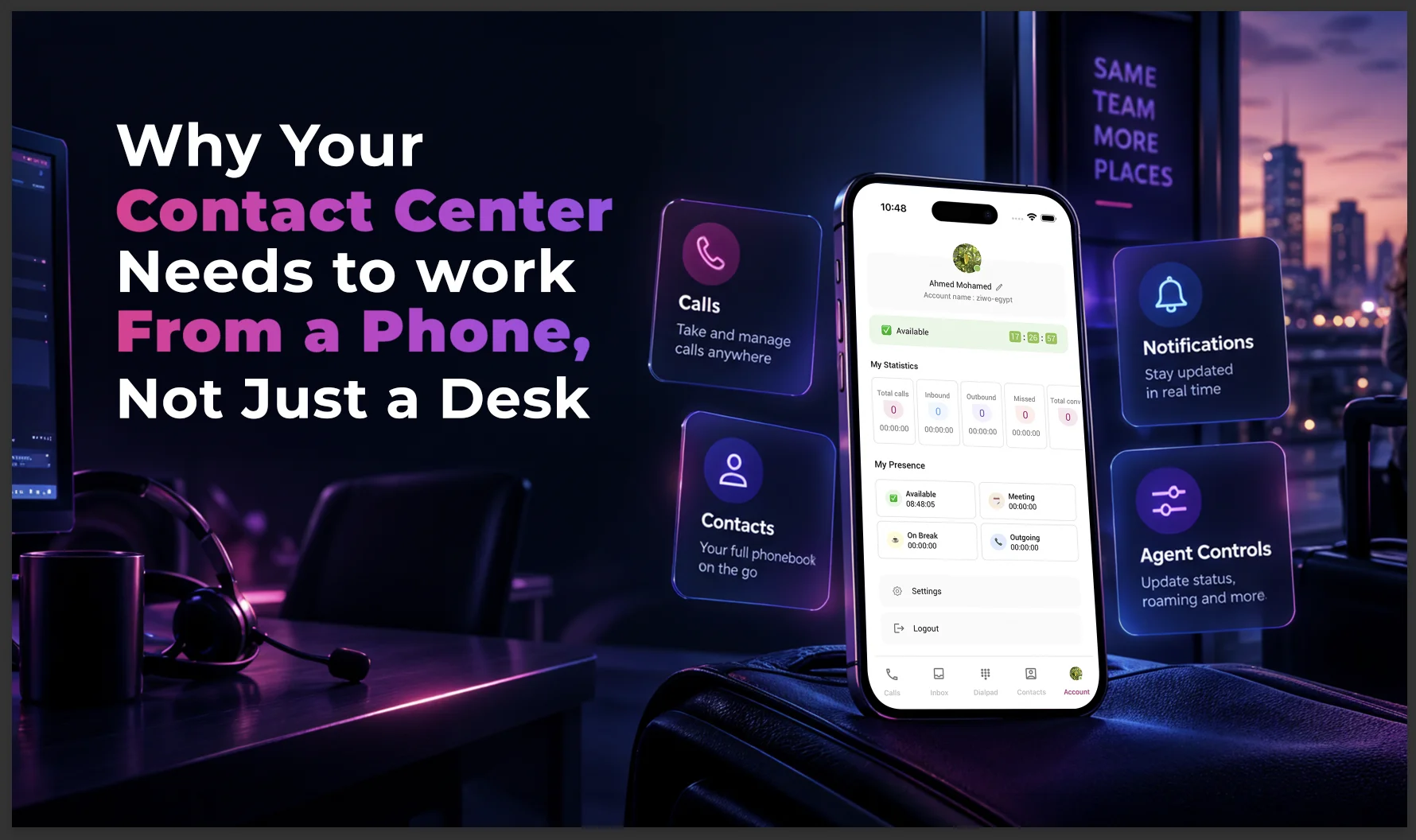
For most of its history, the contact center has been a desk-bound job. A headset, a monitor, a login screen – and if you weren't sitting at that desk, you weren't taking calls. That model is cracking. Agents work hybrid schedules, supervisors travel between sites, and customers don't stop calling just because someone stepped away from their workstation.
That's the gap a mobile agent app is built to close.
The Cost of Being "Away From Your Desk"
Every contact center has the same quiet leak: the calls, follow-ups, and status changes that don't happen because an agent is between meetings, working a split shift, or simply not at their desk when something urgent comes in. None of that shows up neatly on a dashboard, but it shows up in slower callbacks, missed follow-ups, and customers who have to repeat themselves to whoever picks up next.
Desk-only tooling assumes a static workforce. Most modern teams aren't static – they're remote, hybrid, or mobile within a single shift. If the software only works from one chair, the business inherits the limits of that chair.
What Mobile Access Actually Changes
A mobile agent app doesn't try to replace the desktop experience – it extends it. In ZIWO's case, the ZIWO App is built around exactly that idea: it brings calls, contacts, and agent settings onto the phone, in a sleek, user-friendly interface designed to keep agents productive and connected wherever they are. In practice, that means an agent can:
- Manage calls directly from their phone, so a conversation in progress doesn't have to end just because someone steps away from their desk.
- Access powerful contact management, including the full phonebook and ZIWO contacts, with the ability to create new entries and stay organized without needing to be at a workstation. That continuity is part of what makes customized experiences possible – the next person to pick up a contact isn't starting cold.
- Use real-time agent controls to change status, configure roaming settings, and manage their profile instantly, all from one app – so team visibility doesn't depend on someone being physically present at a workstation.
- Rely on enhanced notifications that keep them updated on critical calls and updates, so nothing urgent gets missed just because they're away from their desk.
None of these are flashy on their own. Together, they mean an agent's ability to do their job stops being tied to a single device.
Why Contact Management Matters More on Mobile
A phonebook that only lives on a desktop is a phonebook an agent can't use half the time they actually need it – stepping out for a callback, working from home for the afternoon, or catching up on follow-ups between shifts. Having the full contact list, and the ability to create and organize entries, available on the same device an agent already carries everywhere removes one more reason a follow-up gets delayed.
This is also where consistency comes from. When contact records are the same on mobile as they are on desktop, an agent picking up a conversation from their phone isn't working from a stripped-down or outdated version of what's on file. The record is the record, regardless of which device pulled it up.
Real-Time Status, Roaming, and Profile Control
Team visibility depends on status being accurate – available, on a break, in a meeting. If updating that status requires being logged into a desktop, it stops being accurate the moment someone steps away, which is exactly when the rest of the team most needs to know.
Real-time controls that let an agent change status, adjust roaming settings, and manage their own profile from their phone keep that information current no matter where the agent physically is. Roaming settings in particular matter for teams that move between locations or work across regions – the app should follow the agent, not the other way around.
Notifications: The Difference Between Missing Something and Catching It in Time
A missed call or an urgent update doesn't wait for someone to be back at their desk. Enhanced notifications on a mobile app mean an agent finds out about something time-sensitive the moment it happens, rather than the next time they happen to check their desktop. For a role built around responsiveness, that gap – between when something happens and when someone notices – is often the whole difference between a good outcome and a frustrated customer.
Who Benefits Most From Mobile Access
Not every role in a contact center gets equal value from a mobile app, but a few clearly do:
- Agents working hybrid or split shifts. If part of a shift happens away from the office, the ability to take a call, check a contact record, or update status without logging into a desktop keeps that time genuinely productive instead of a gap in coverage.
- Field-facing or on-call staff. Teams that aren't desk-based to begin with – account managers, on-call support, field reps who also handle customer calls – depend on mobile access simply because a desktop was never part of their day.
- Supervisors and team leads. Anyone moving between meetings, sites, or offices benefits from being able to check status and reachability without needing to be physically at a workstation.
- Distributed or multi-site teams. When a team is split across locations or working across regions, roaming settings and consistent contact records matter more, since there's no single office everyone can fall back on.
The Customer Experience Angle
It's easy to frame mobile access purely as an agent convenience, but the effect shows up on the customer side too. A customer calling back about an issue doesn't know or care whether the agent who should be handling it is at a desk or between meetings – they just notice whether the callback happens on time and whether the person on the line already knows their history.
Consistent contact records across desktop and mobile mean that whoever picks up next – the same agent from their phone, or a different one entirely – isn't starting from scratch. That continuity is a small thing on any single call, but it adds up across a team's daily volume into fewer repeated explanations and fewer customers who feel like they're being passed around.
Rolling Out Mobile Access Without Disrupting the Floor
Even a well-built mobile app can land badly if the rollout ignores how the floor actually runs day to day. A few things tend to separate a smooth rollout from a rocky one:
- Introduce it as a complement, not a replacement. Agents should understand the mobile app extends their desktop tools for moments they're away from their station – not that it's meant to become their primary way of working every day.
- Set clear expectations about when it's used. Whether that's during commute time, split shifts, or on-call coverage, teams that get the most value are explicit about what mobile access is for, rather than leaving it ambiguous.
- Keep permissions and security consistent with desktop. Whatever access controls apply to a desktop session should apply identically on mobile – this isn't optional for a tool touching customer contact data.
- Gather feedback from agents actually using it. The features that matter most in practice – which notifications are useful, which controls get used daily – often aren't obvious until agents have used the app for a few weeks.
None of this is exotic. It's the same discipline any operational change requires, and the platforms that make it easiest are the ones where the mobile experience genuinely mirrors the desktop tools agents already know, rather than feeling like a stripped-down afterthought.
The Mobile App Is One Piece of a Larger AI-Powered Platform
The mobile app itself keeps things simple – calls, contacts, status, notifications. But it connects to a much bigger question worth asking as you evaluate vendors: what does the rest of the platform behind that app actually do across your broader contact center operations, and is it a genuine AI contact center platform or just software with an AI label attached?
The gap between something marketed as an ai customer service platform and one that holds up in daily use usually comes down to how it handles a real conversation. A true conversational AI platform combines an ai voice agent – or virtual agent – capable of holding a call end-to-end with natural language processing (NLP) sophisticated enough to understand actual intent – not just keyword triggers. That's what nlp customer service means in practice, and it's the first thing worth testing in any vendor demo.
ZIWO's platform layers this on top of the same operational backbone the mobile app connects to: contact center automation and automation workflows that automate routine work sitting behind every interaction, an omnichannel ai platform that keeps context consistent whether a conversation started as a call or a chat, and automated quality assurance for the contact center that scores every interaction instead of a random sample. On the reporting side, post-call analytics turn that into real time insights and actionable insights a manager can actually use – the kind that shows up in ZIWO's own AI Voice Agent and call quality scoring breakdowns.
None of that touches the mobile app described above – the calling, contact management, and notification features stay exactly as they are. But it's worth knowing the mobile app sits inside a platform built with AI capability elsewhere in the stack, and the two are meant to work together: the mobile app keeps your support team and customer service teams connected, while the AI layer absorbs a share of routine volume so that connection matters at the moments that actually need a person.
If you're doing a broader ai customer service buyer's guide-style comparison – the kind of research behind most best ai customer service software searches – look past the label and check for agentic ai capability (an agent that can act on a request, not just answer it), integration with your existing knowledge bases so answers are grounded in real documentation, custom conversational flows that adapt to different stages of the customer journey, multilingual support if your customer base isn't single-language, and evidence the system is continuously improving from real interaction data rather than static after launch. Those are the key features that separate a platform that genuinely delivers reduced wait times and a lighter load on the service operation from one that just adds another dashboard to check.
Why This Matters More in 2026 Than It Did Five Years Ago
Hybrid and distributed teams are now the default in a lot of contact centers, not the exception – which means "at your desk" describes less and less of the actual workday. A desktop-only contact center platform quietly assumes that hasn't changed. Mobile access is one of the more direct ways a platform can catch up to how teams actually work now.
Frequently Asked Questions
Does the mobile app replace the desktop platform? No. It's built to extend the same workflows agents already use on desktop – calls, contacts, status, notifications – to moments when they're away from their station, not to replace the full desktop experience.
Is mobile access a security risk for customer data? Any mobile tool touching customer contact data needs the same access controls, encryption, and authentication as the desktop platform. Ask specifically how mobile sessions are secured before rolling it out to a team.
Do agents need extra training to use the mobile app? Generally not much. A well-built mobile agent app mirrors the same workflows agents already use on desktop – calls, contacts, status, profile settings – so the learning curve is closer to adjusting to a different layout than learning a new system.
What's the most useful feature for teams that travel or work hybrid? Real-time status and roaming controls tend to matter most for teams that move between locations, since they keep team visibility accurate no matter where an agent physically is.
Does the mobile app itself use AI? No – the mobile app is focused on calls, contacts, agent controls, and notifications. ZIWO's AI capabilities, like its AI Voice Agent and automated quality assurance, live in the broader platform rather than the mobile app itself, though the two are designed to work as part of the same system.
The Practical Takeaway
If your team already runs on a cloud contact center platform, the mobile app is usually the fastest win available to reduce the "away from desk" gap – no new infrastructure, no retraining on a totally different system, just the same core workflows accessible from a phone. The bigger question worth asking isn't whether mobile access is nice to have. It's how much of your team's daily work already depends on someone being at a specific desk at a specific time – and how much of that dependency is optional.
The ZIWO App brings calls, contact management, real-time agent controls, and enhanced notifications to your team's phones, so they stay connected and productive wherever the workday takes them.


